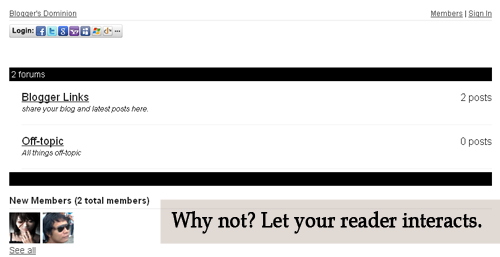
Let's see how it look like first. Is it good? Now, see it live. Click here . Then click the Forum Tab , wait 'til it loads. How to do it? Actually, it's very easy. 1. Just go to this site and sign-up. 2. Then go to your Blogger Dashboard > Edit Posts or New Posts > Edit Pages > Create New Page. 3. Name your page as Forum or anything you want. 4. Click Edit HTML 5. Paste the script that is given by tal.ki. The script looks like this. <script src='http://j9tjfgzo57.embed.tal.ki/embed/1.js' type='text/javascript'/><div id='j9tjfgzo57t4lk1prm0' style='font-size:80%; text-align:center;'>get your own <a href='http://tal.ki?utm_source=install&utm_medium=link&utm_campaign=get_your_own'>embeddable forum</a> with Talki</div> 6. Preview, if it's fine. Publish it! That's it!
Well, I got my new laptop since I needed it for my course, upon installing Microsoft Visual Studio 6.0 some problems occurs, it hangs up and doesn't complete the "proper" installation. Anyway, what's the use of Google. Therefore, I "googled" it and found a solution. Installing it in Windows 8 seems troublesome. Here's the installation guide below:
Are you Dallas or Miami fan? Personally, I'm a Dirk Nowitzki fan which means that I'm a fan of his team also. I created this wallpaper, making Nowitzki and Wade as the team's symbol. Yah, not LeBron. Download this without watermark here . Chill~



Comments
Post a Comment
Feel free to ask, suggest and comment regarding this post/blog. You can also contact me through e-mail, just always use the contact page. Thank you for visiting this blog.