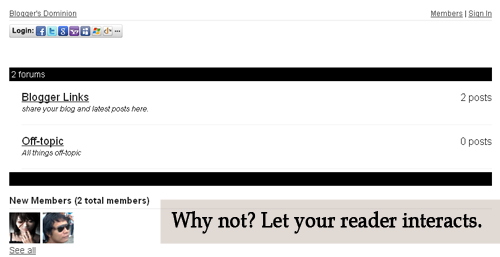
Let's see how it look like first. Is it good? Now, see it live. Click here . Then click the Forum Tab , wait 'til it loads. How to do it? Actually, it's very easy. 1. Just go to this site and sign-up. 2. Then go to your Blogger Dashboard > Edit Posts or New Posts > Edit Pages > Create New Page. 3. Name your page as Forum or anything you want. 4. Click Edit HTML 5. Paste the script that is given by tal.ki. The script looks like this. <script src='http://j9tjfgzo57.embed.tal.ki/embed/1.js' type='text/javascript'/><div id='j9tjfgzo57t4lk1prm0' style='font-size:80%; text-align:center;'>get your own <a href='http://tal.ki?utm_source=install&utm_medium=link&utm_campaign=get_your_own'>embeddable forum</a> with Talki</div> 6. Preview, if it's fine. Publish it! That's it!
The code below automatically loads the shapefile found in a certain directory into a PostgreSQL database within a given interval(in this example 2 minutes). Downside (in which I'm trying to figure out): What if the filename of the shapefile changes? Anyway, this suits of what I need right now. __author__ = 'Matt' import os from django.db import connection from django.contrib.gis.utils import LayerMapping from .models import FloodHazard import datetime import time import logging from apscheduler.scheduler import Scheduler logging.basicConfig() # Start the scheduler sched = Scheduler() sched.daemonic = False sched.start() #ogrinspect evidensapp/data/flood_hazard/FloodHazard.shp FloodHazard --srid=32651 --mapping --multi # Auto-generated `LayerMapping` dictionary for FloodHazard model floodhazard_mapping = { 'hazard': 'Hazard', 'date_field': 'Date_', 'geom': 'MULTIPOLYGON' } bound_shape = os.path.abspath(os....