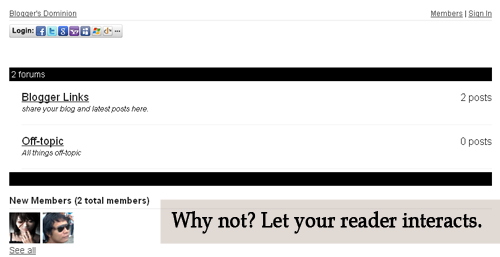
Let's see how it look like first. Is it good? Now, see it live. Click here . Then click the Forum Tab , wait 'til it loads. How to do it? Actually, it's very easy. 1. Just go to this site and sign-up. 2. Then go to your Blogger Dashboard > Edit Posts or New Posts > Edit Pages > Create New Page. 3. Name your page as Forum or anything you want. 4. Click Edit HTML 5. Paste the script that is given by tal.ki. The script looks like this. <script src='http://j9tjfgzo57.embed.tal.ki/embed/1.js' type='text/javascript'/><div id='j9tjfgzo57t4lk1prm0' style='font-size:80%; text-align:center;'>get your own <a href='http://tal.ki?utm_source=install&utm_medium=link&utm_campaign=get_your_own'>embeddable forum</a> with Talki</div> 6. Preview, if it's fine. Publish it! That's it!
Blogger has featured "404" page customization. Just a fact: The 404 or Not Found error message is a HTTP standard response code indicating that the client was able to communicate with the server, but the server could not find what was requested. The web site hosting server will typically generate "404 - Not Found" web page, when users attempts to follow a broken or dead link, hence the 404 error is one of the most recognizable errors users can find on the web To start this, you need to upgrade your Blogger to a new look . Then, follow the instruction below: Inside the black border is where you can add your custom 404-Not Found Page You can use this conditional tag to hide the widgets for your 404 page. <b:if cond='data:blog.pageType == "error_page"'> <style type="text/css"> PUT YOUR CSS CODE HERE </style> </b:if> or this code <b:if cond='data:blog.url != "YOUR BLOG URL...
This is my base on my personal thoughts. So let's start. 1. How to remove or hide Navbar in Blogger? #navbar-iframe { height:0px; visibility:hidden; display:none; Paste the code above before ]]></b:skin> or under Blogger Template Style Name:**** Designer: **** URL:**** Date: ***** Updated by: Blogger Team ----------------------------------------------- */ credits goes to Blogbulk.com 2. Adding Related Articles on your Post <!--Related Posts Scripts and Styles Start--> <!--Remove--><b:if cond='data:blog.pageType == "item"'> <style type='text/css'> #related-posts { float:center; text-transform:none; height:100%; min-height:100%; padding-top:5px; padding-left:5px; } #related-posts .widget{ padding-left:6px; margin-bottom:5px; } #related-posts .widget h2, #related-posts h2{ font-size: 16px; font-weight: bold; color: #343434; font-family: "Trebuchet MS", ...


Comments
Post a Comment
Feel free to ask, suggest and comment regarding this post/blog. You can also contact me through e-mail, just always use the contact page. Thank you for visiting this blog.